I Built a Private, Offline Alternative to NotebookLM
I built a private, offline alternative to NotebookLM.
AI Notebook lets you ask questions of your own documents, get answers with exact citations, and keep the entire research workflow on your machine.
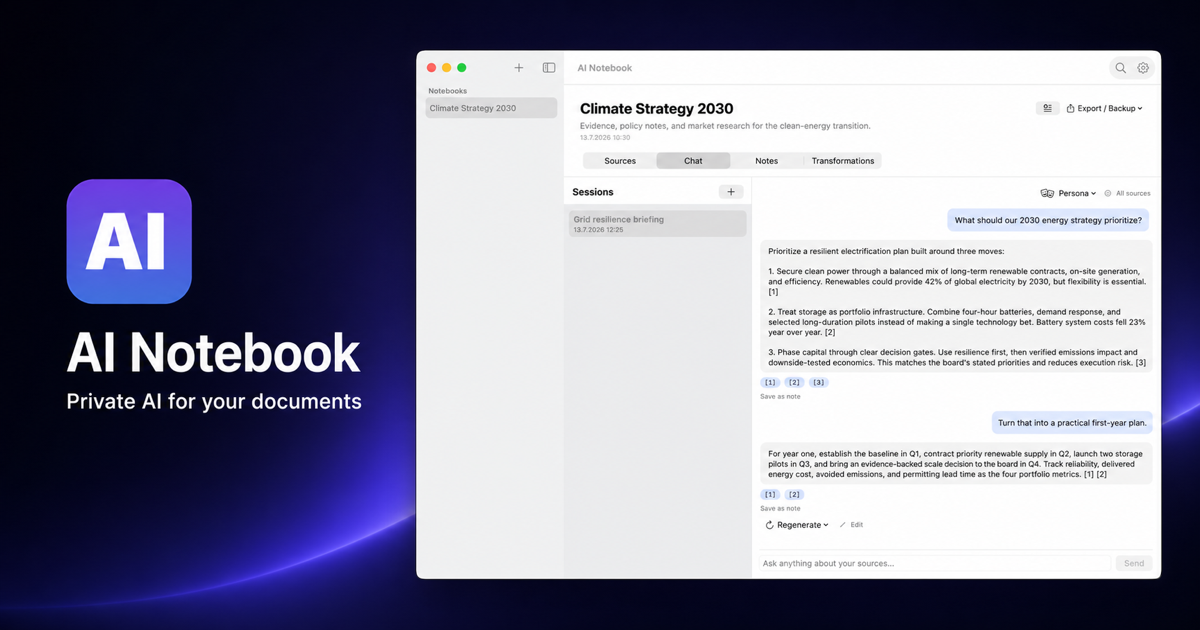
I use AI to make sense of long documents, but I have never liked the hidden trade: to get a useful answer, I first have to upload the source material somewhere else. That may be acceptable for a public paper. It is a different decision for private notes, client documents, internal research, or an unfinished idea.
So I built AI Notebook, a free, open-source desktop app for macOS and Windows. It brings the familiar “chat with your sources” workflow to a native application, with local storage, local retrieval, and local AI through Ollama.
The useful part of NotebookLM, without the upload
The best thing about source-grounded AI is not the chat box. It is the ability to move through unfamiliar material quickly while seeing where every claim came from. A good answer should not ask for blind trust. It should take you back to the paragraph, page, or passage that supports it.
AI Notebook was designed around that principle. Add PDFs, Word documents, PowerPoint decks, spreadsheets, plain text, Markdown, or web pages. The app indexes the content and lets you ask questions across one source, a selected set, or the entire notebook.
The goal is not to replace reading. It is to make the path from a question to the right passage dramatically shorter.
| Choice | AI Notebook | Typical cloud notebook |
|---|---|---|
| Where it runs | Your computer | Browser and cloud |
| Document storage | Local SQLite database | Remote service |
| Offline use | Yes, with Ollama | Usually no |
| Model choice | Local or bring your own provider | Platform models |
| Source code | Open, MIT licensed | Proprietary |
From raw sources to useful work
I wanted the app to be more than a retrieval demo. Research rarely ends with one answer. You collect material, ask questions, notice connections, write something down, and repeat. That loop is the product.
- CollectBring documents and web pages into a dedicated notebook.
- GroundLet local indexing make every source searchable by meaning and exact terms.
- AskChat across the material and open citations directly from each answer.
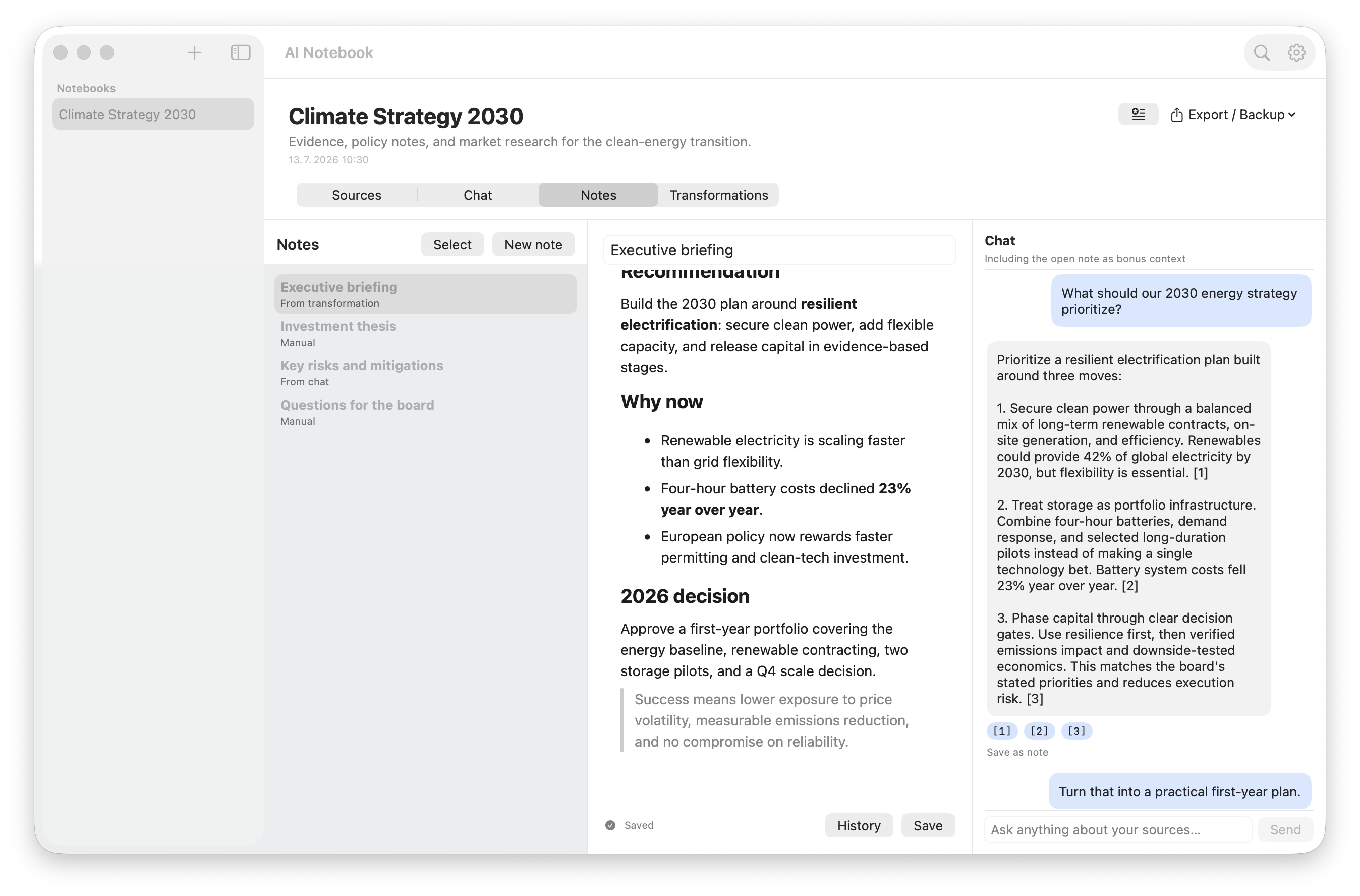
- WriteTurn useful findings into editable notes with history and attachments.
- TransformReuse prompts for summaries, key points, entities, or your own recurring tasks.
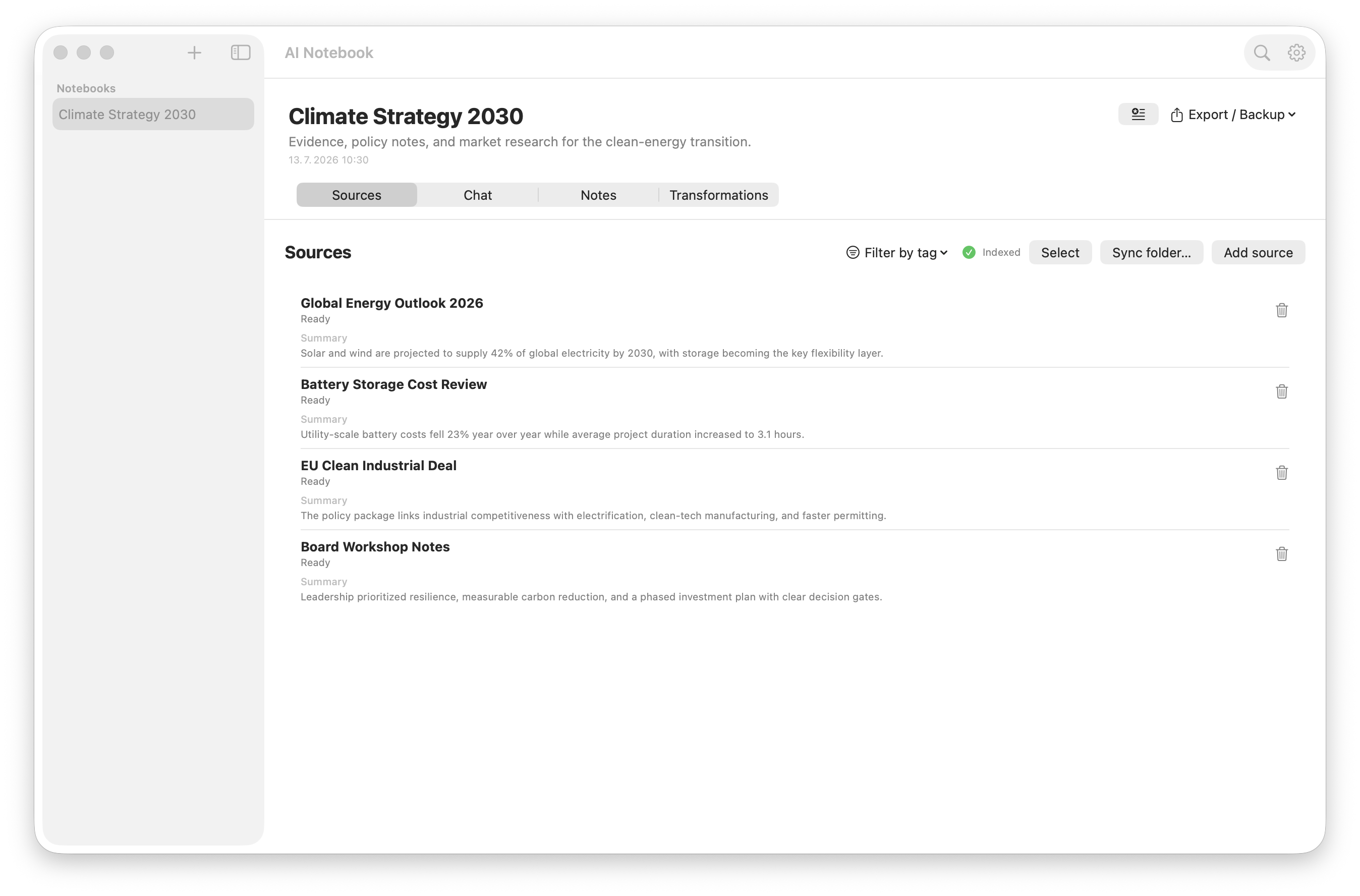
The citations are deliberately visible. Answers include numbered references that open the exact source snippet, so it is easy to check context instead of treating generated text as a final authority.
Local first is a real boundary
“Private” can become a vague marketing word, so here is what it means in AI Notebook. Source text, chunks, embeddings, notes, and chat history live in a local SQLite database. With Ollama selected, AI requests do not leave your device. The workflow can run without an internet connection once the models are installed.
You can still choose a cloud or network model when a task needs one. AI Notebook supports OpenAI, Anthropic, OpenAI-compatible endpoints, and OpenWebUI. That is an explicit choice, not a hidden dependency. API keys are stored in the operating system credential vault rather than the notebook database.
What happens under the hood
When a source is added, the app extracts its text, divides it into useful chunks, and creates embeddings locally. Search combines semantic similarity with keyword matching through Reciprocal Rank Fusion. This matters because research questions contain both concepts and exact language. A person may ask about an idea using different words, then need a precise name, number, or phrase in the same session.
The retrieved passages are sent to the selected language model as context. The answer streams back with citation markers that are mapped to the supporting chunks. The result is a compact retrieval-augmented generation workflow that remains understandable and inspectable.
Two native apps, one product
The macOS application is built with Swift 6 and SwiftUI. The Windows application uses .NET 10 and WinUI 3. They share the same product model and privacy principles while respecting the interaction patterns of each platform. This takes more work than wrapping a website, but a research tool benefits from feeling at home on the machine where the documents already live.
Why open source matters here
A privacy claim is stronger when people can inspect the code behind it. AI Notebook is available under the MIT license. You can review how sources are stored, see when network calls are made, build the app yourself, or adapt it to your own workflow.
Make your documents useful without giving them away.
AI Notebook is free for macOS and Windows. Download the latest release, connect Ollama, and start with one document you already know well.


Comments
Post a Comment